SailTools

Long Island Sound, right now.

What the wind and the water are doing now, where you sail — measured minutes ago by the buoys, gauges and weather stations on the Sound, not estimated by a model. The tides, the currents and the forecast are there too, shown the way a sailor reads them.

For iPhone, iPad and Mac. In testing now, by invitation.
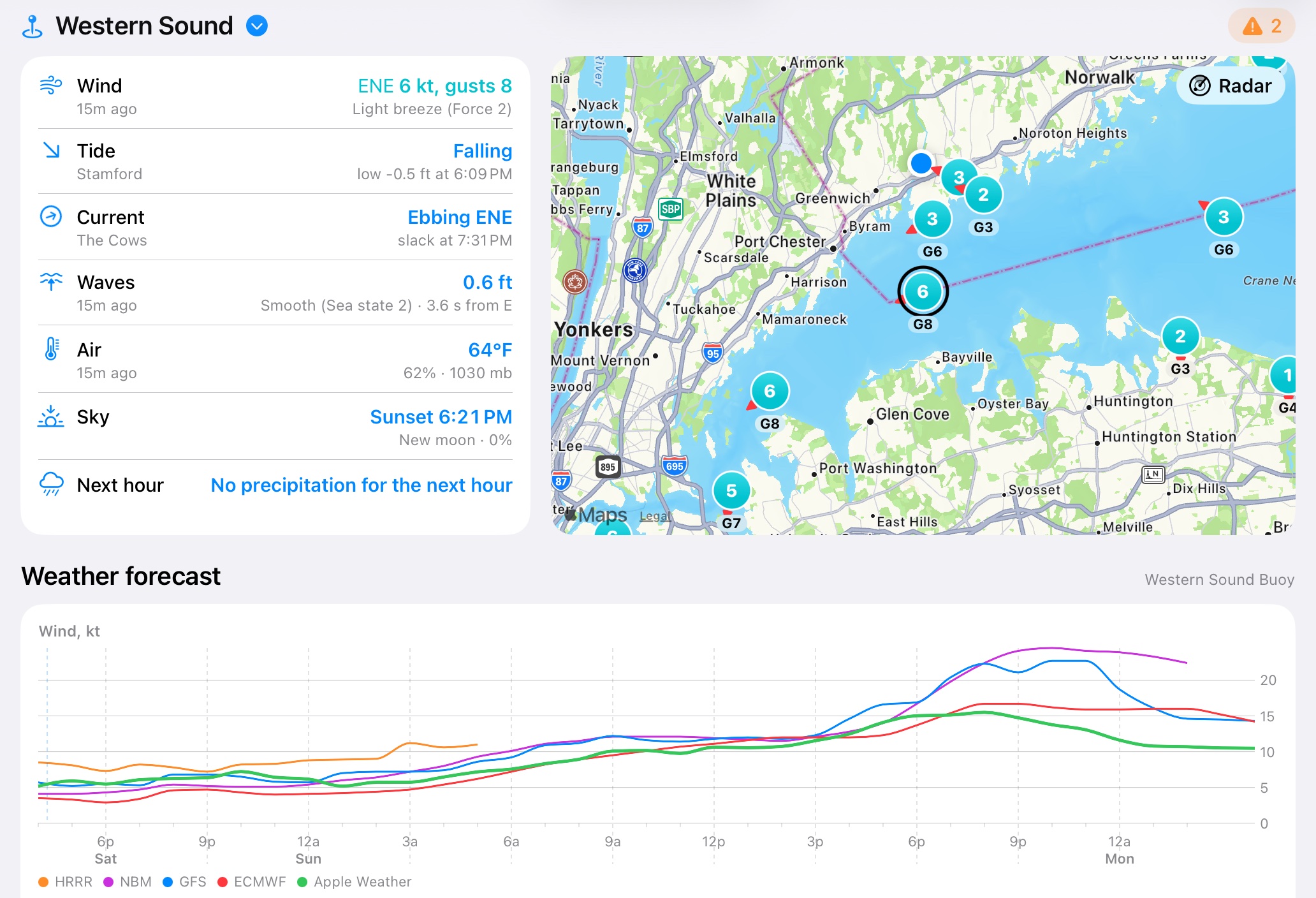
SailTools on an iPad: the wind, tide, current, waves, air and sky at the Western Sound buoy beside a map of the wind at every station with its Radar button, above the forecast.

Everything about one place, on one screen.

Pick a harbor, a buoy, or a channel such as The Race or Plum Gut. SailTools finds the nearest instrument measuring each thing you want to know, shows you its latest reading, and tells you where it came from. Most weather apps emphasize forecasts over live data; this shows what was measured.

One place at a time

Choose from 57 weather, tide and current stations, from Hell Gate to The Race, or tap one on the map. Set your own home station and the app opens there, or have it follow you: it shows the station nearest you and changes as you move.

Wind, the way sailors say it

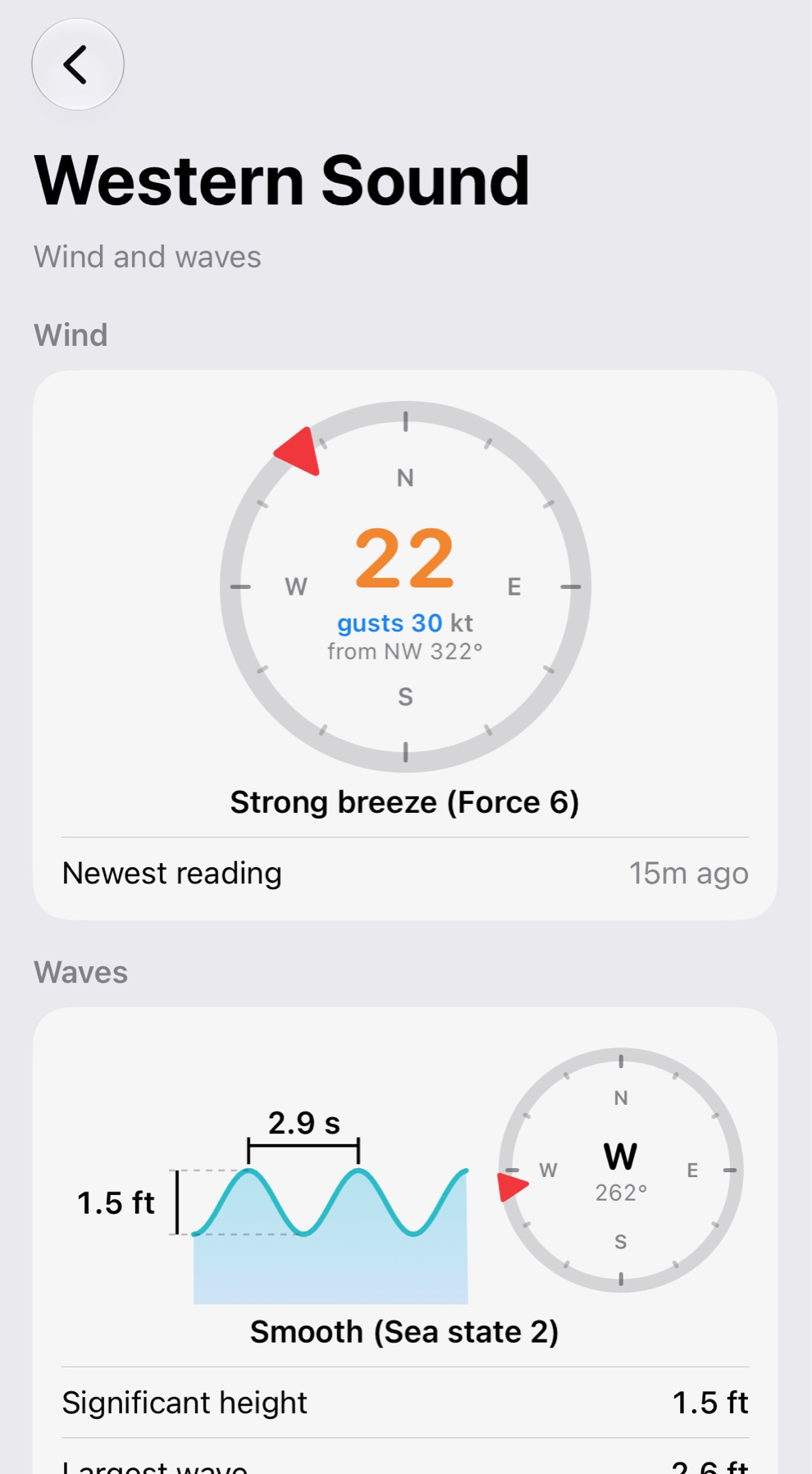
The wind as an anemometer on the water just measured it: knots, gusts and direction on a compass, with the Beaufort force by name. Waves from the buoys, with their height, period, direction and sea state.

Tides and currents together

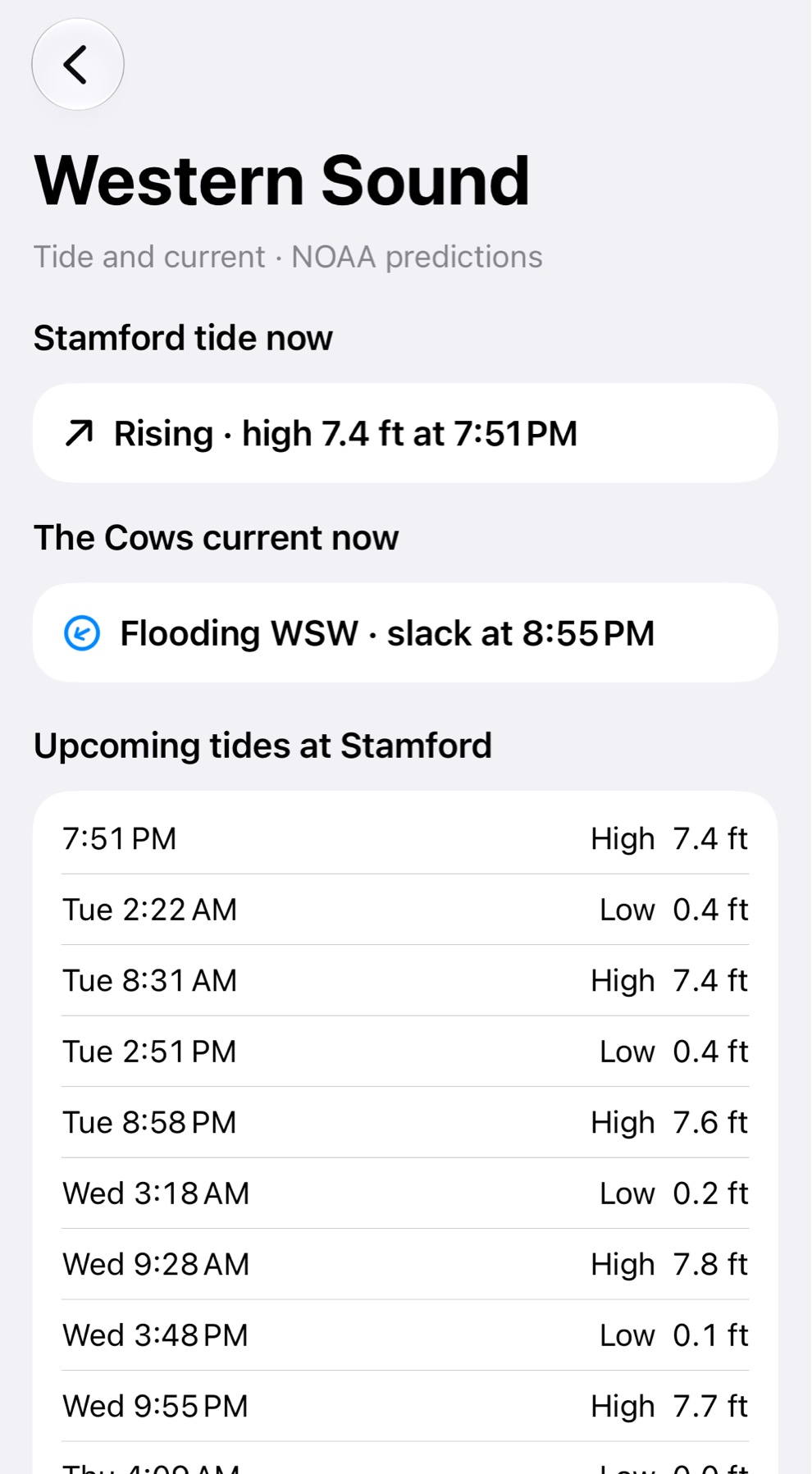
What the tide and the current are doing now, and every high, low, slack and peak flow for the next three days, side by side so you can time a passage.

Live readings, each with its age

These are measurements, so each one says how old it is: usually minutes. A buoy can go quiet for hours, and then its number turns orange, so you never mistake an old reading for a new one.

The forecast, and the warnings

Wind, gusts, waves, temperature and chance of rain for the days ahead, with the National Weather Service marine forecast in its own words. Advisories appear within minutes of being issued.

Widgets

Wind, waves, tide and current on your lock screen, home screen or Mac desktop, without opening the app.

Made for a quick look before you cast off.

The same app on iPhone, iPad and Mac. On a wide screen the cards sit side by side; on a phone they stack.
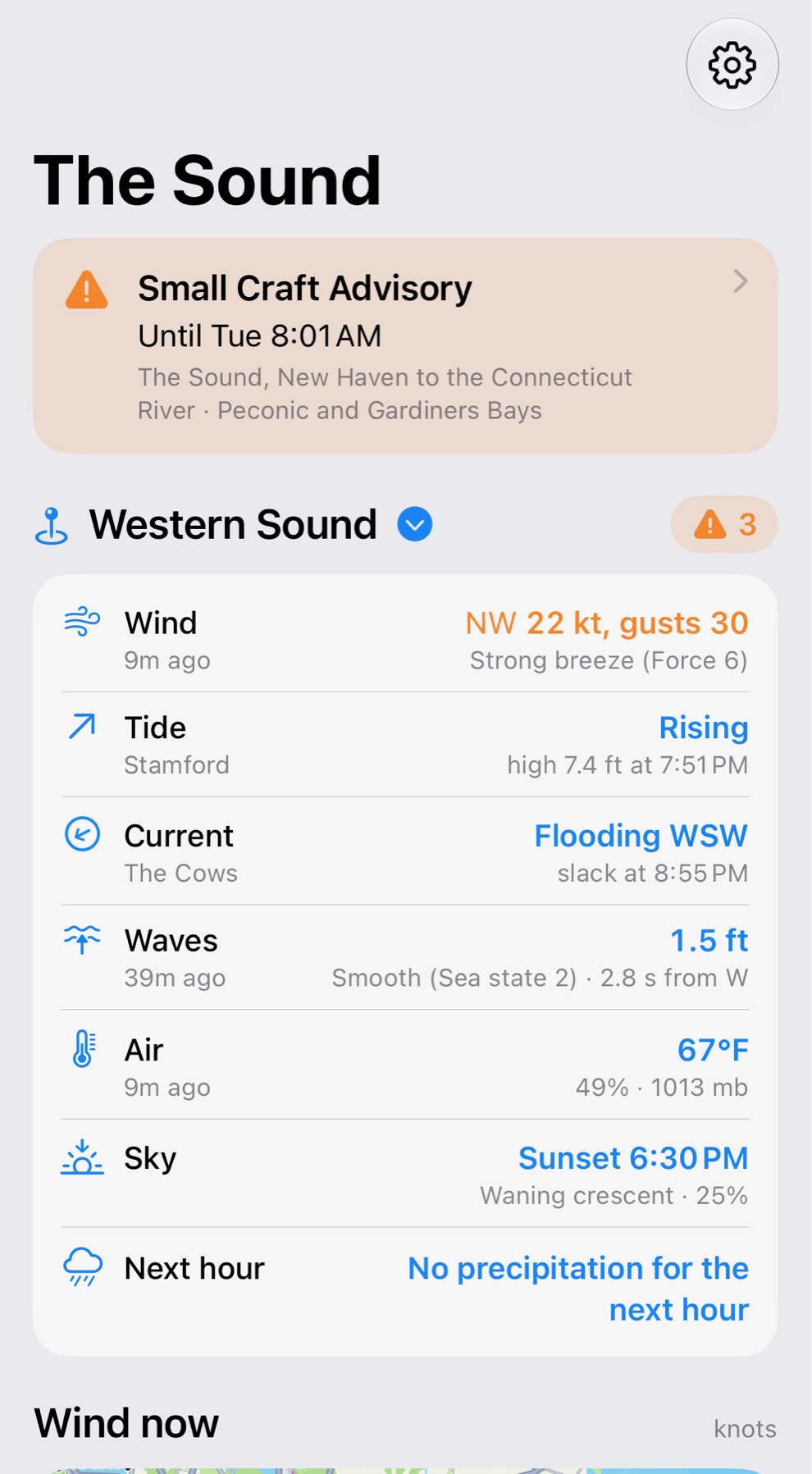
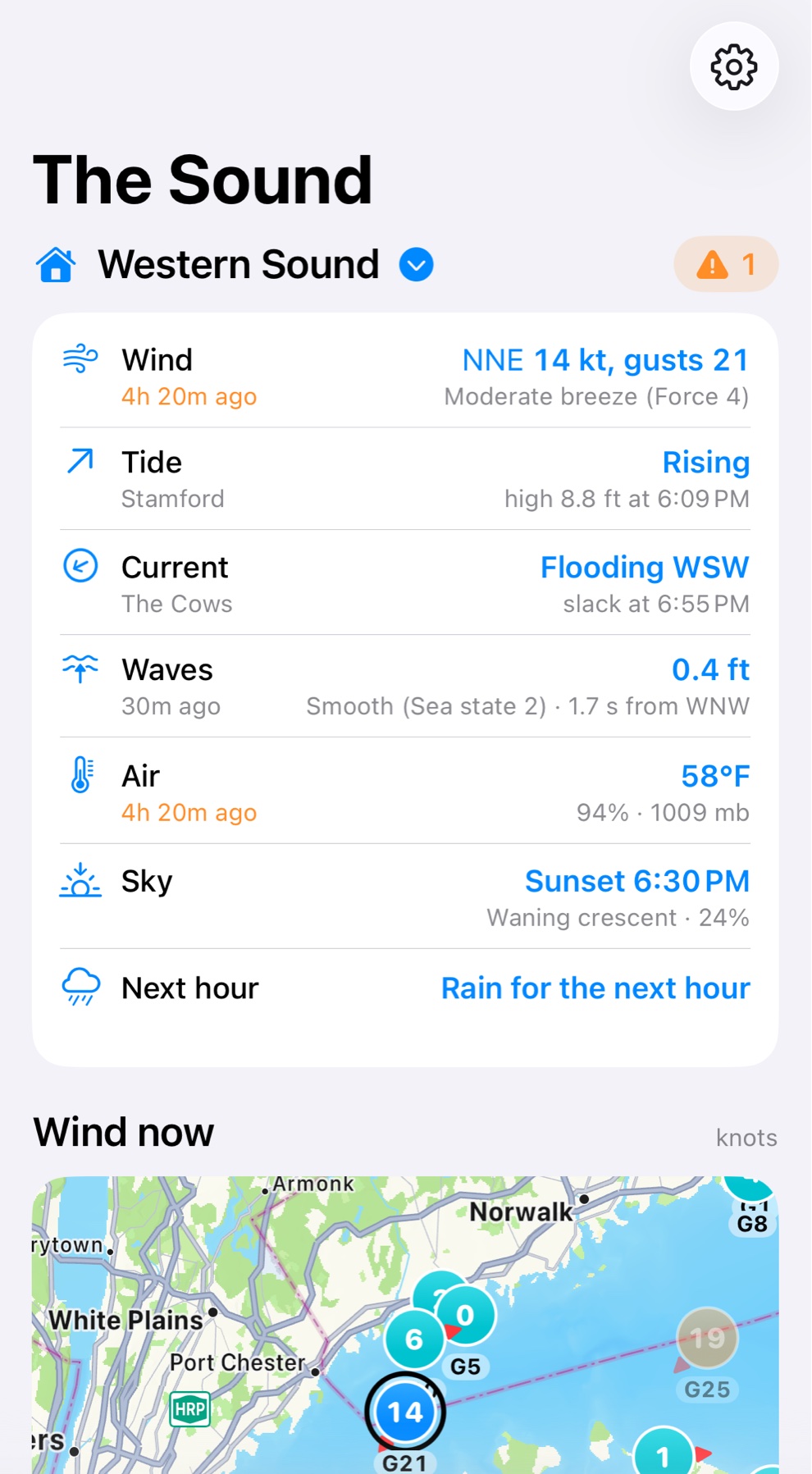
The first screen at the Western Sound buoy: a small craft advisory, then wind, tide, current, waves, air, sky and the next hour, above a map of the wind.
The place you chose Wind, tide, current, waves, air and sky, each from the nearest source, with any advisory in force above them.
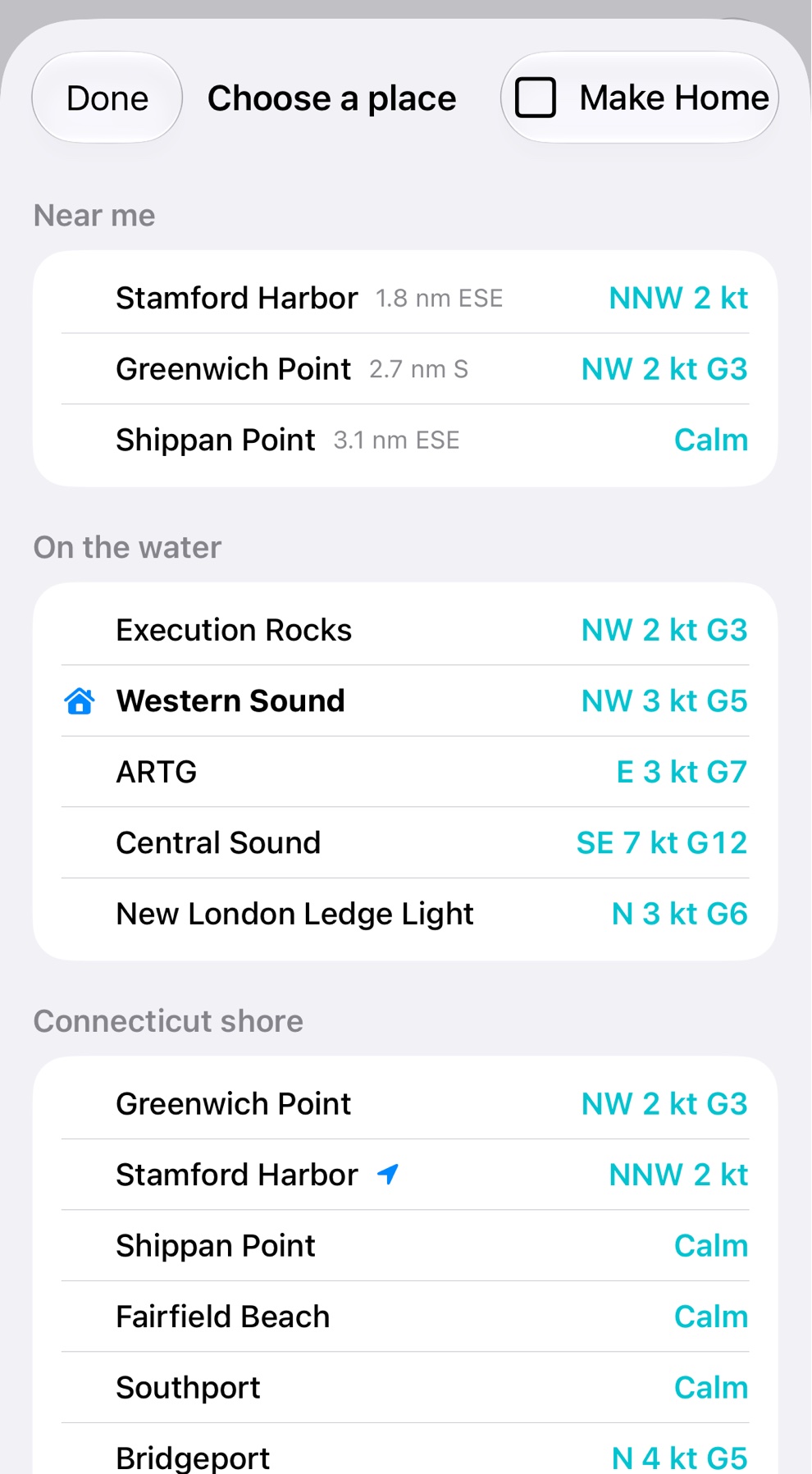
The list of places: Near me at the top with the three nearest stations and how far away each is, then the stations on the water and along the Connecticut shore with their wind now.
Near me The stations nearest you head the list of places, with how far and which way each lies. Or let the app follow you from one to the next.
The wind and waves page: a compass reading 22 knots from the northwest with gusts of 30, and the waves' height, period and direction.
Wind and waves, drawn A compass for the wind with its Beaufort name, and a profile for the waves with their sea state.
The tide and current page: the tide rising at Stamford and the current flooding at The Cows now, then the upcoming tides.
Tide and current What the tide and the current are doing now, then every high, low, slack and peak flow for three days.
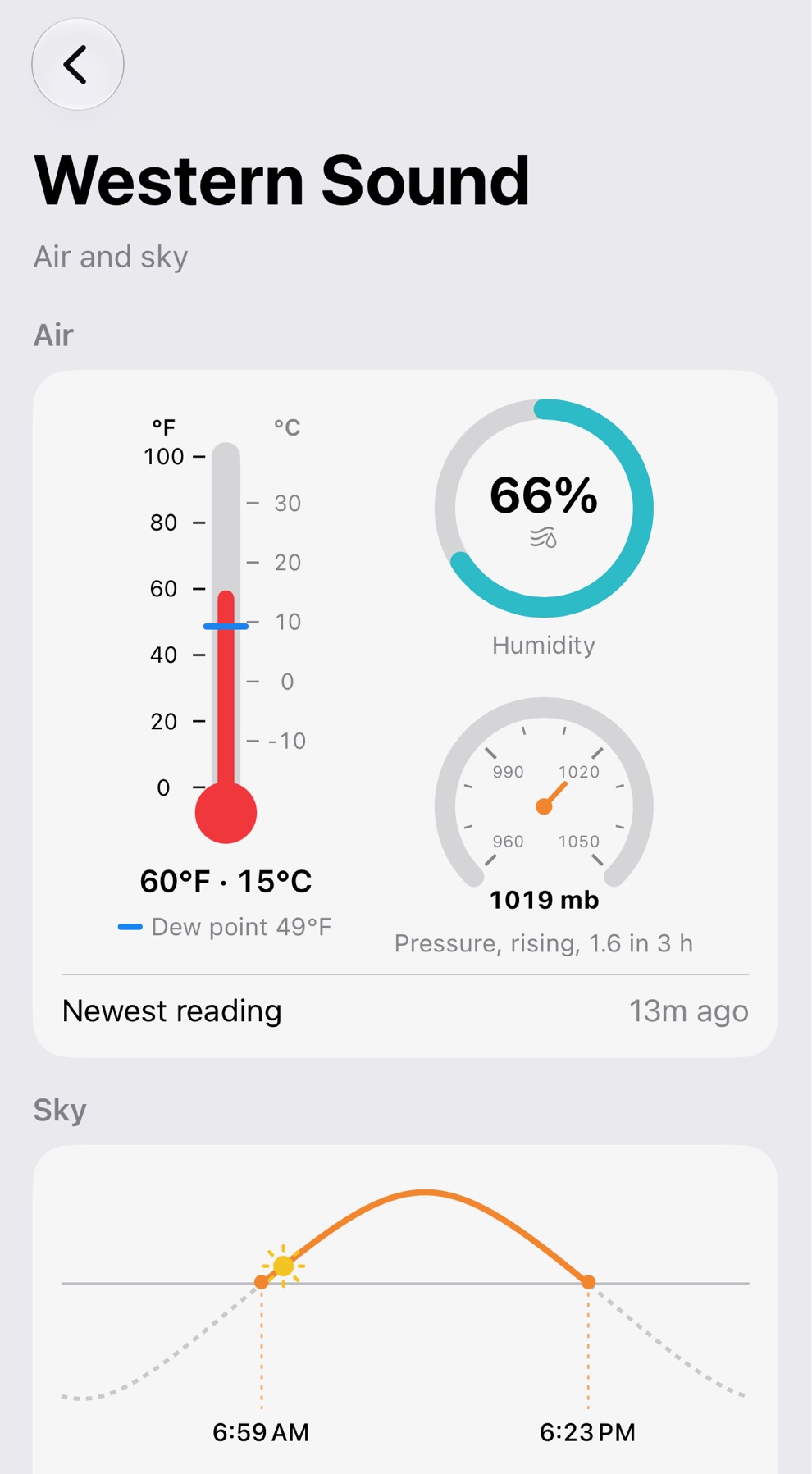
The air and sky page: a thermometer, humidity and barometer, then the sun's path through the day with the times of sunrise and sunset.
Air and sky Temperature, humidity and pressure, then sunrise, sunset, first and last light, and the moon.
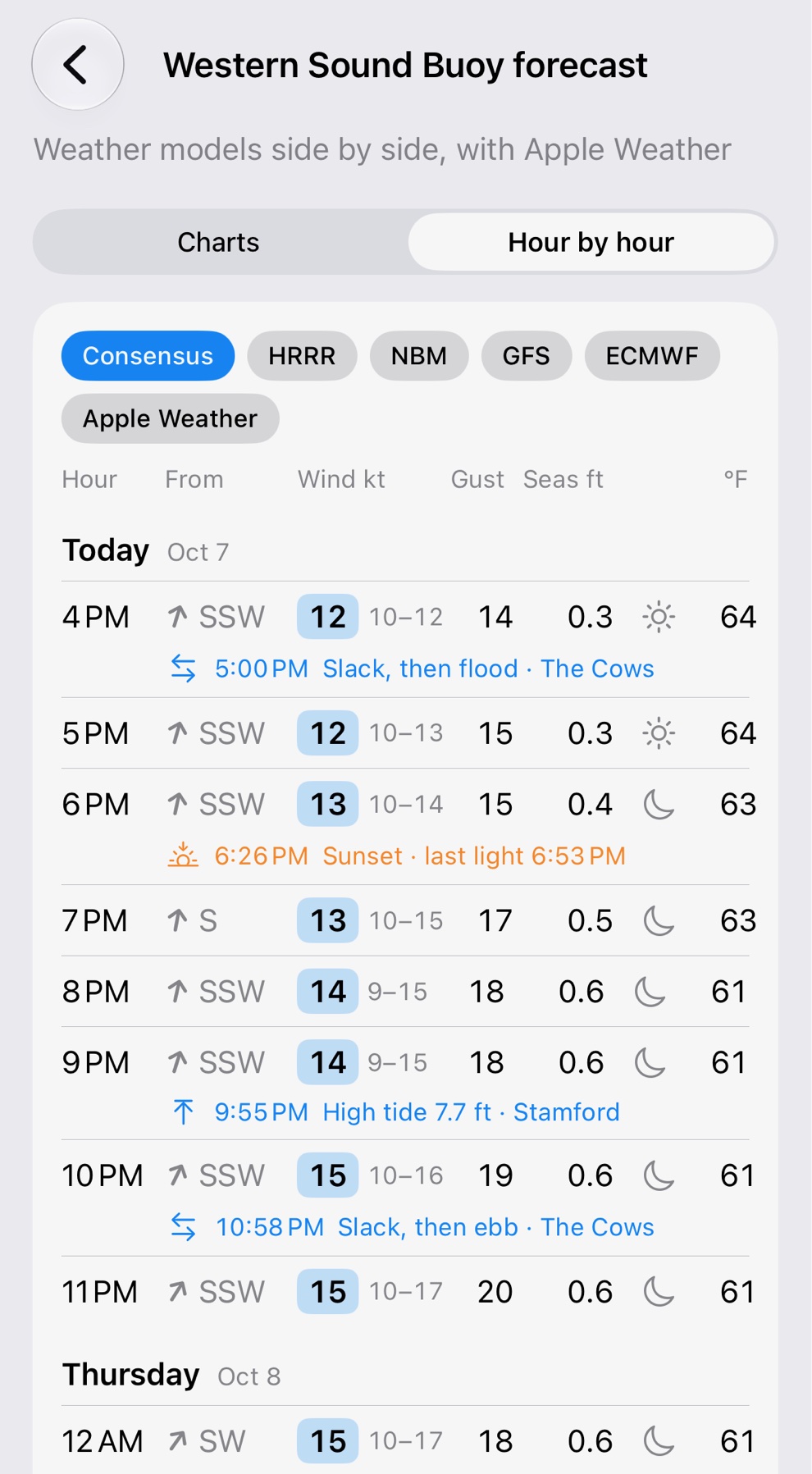
The forecast hour by hour: a row for each hour with the wind's direction, speed, gust, seas, sky and temperature, and slack water, sunset and high tide set under the hours they fall in.
The forecast, hour by hour The consensus of the weather models or any one of them, with tides, slack water, sunrise and sunset under the hour they fall in.

Easy on the eyes after sunset.

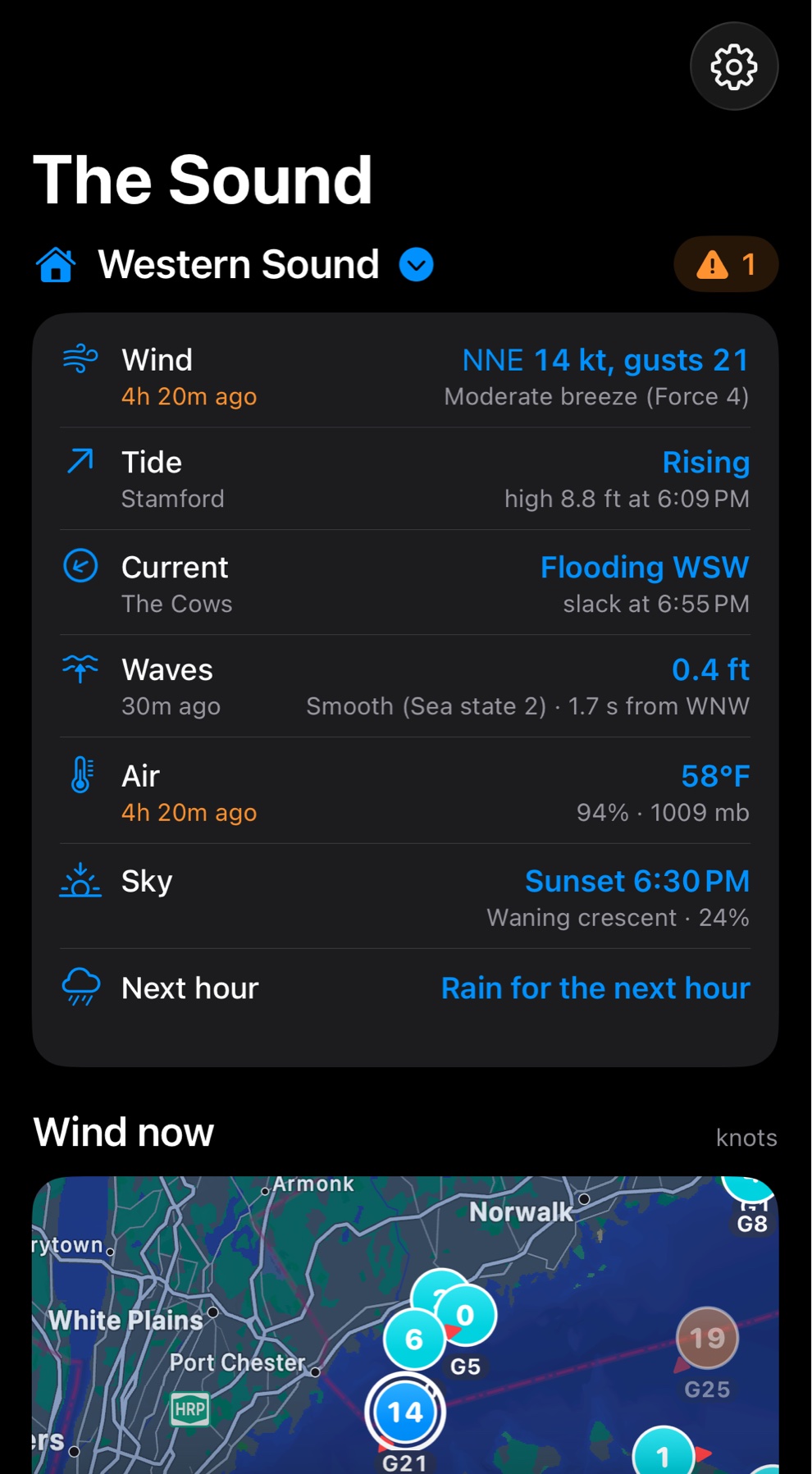
SailTools follows your device's light or dark appearance, map included, so a look at the wind from a dim cabin or on a night watch is far gentler on eyes used to the dark.
  • Automatic. It switches with your iPhone, iPad or Mac; there is nothing to set.
  • Everything, not only the background. The cards, the text and the map all change together.
  • The colors keep their meaning. The wind's color still shows its strength, and a late reading is still orange.
The first screen in light appearance.
The same screen in dark appearance: dark cards and a dark map, with the same colors for the readings.
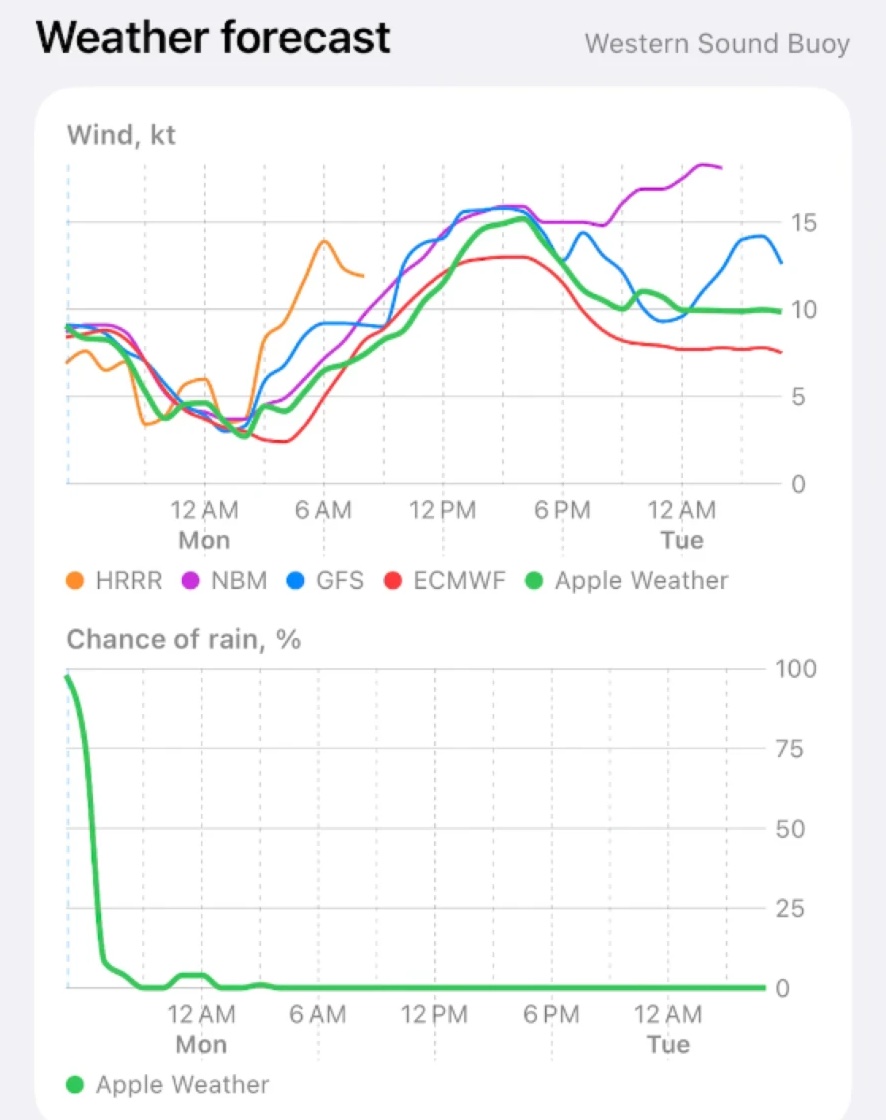
The weather forecast on the first screen: a wind chart with five forecast models as colored lines, and the chance of rain below it.
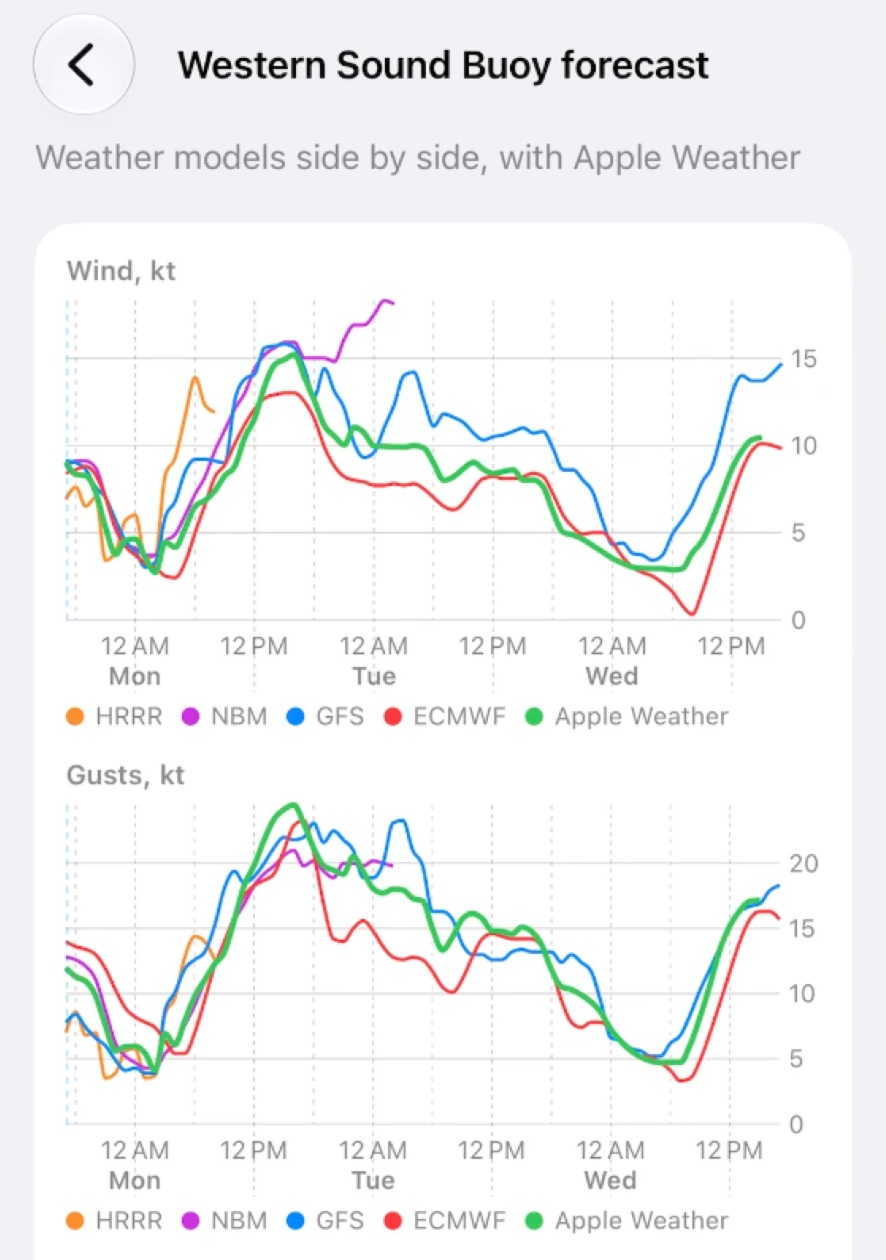
The forecast page: wind and gusts for three days, with HRRR, NBM, GFS, ECMWF and Apple Weather drawn side by side.

The weather ahead, from more than one forecaster.

The readings say what the Sound is doing now; the forecast says what may come next, and it is kept apart so you always know which you are looking at. Forecasts disagree, and where they disagree is worth knowing, so SailTools draws each model as its own line.

  • Charts for the days ahead: wind, gusts, waves, temperature and chance of rain, hour by hour for three days, with the day and time marked along the bottom.
  • Hour by hour: the same forecast as a list, a row for each of the next 72 hours, with the least and most of the models beside the wind, and the tides, slack water, sunrise and sunset set under the hour they fall in.
  • Models side by side: NOAA's HRRR, NBM and GFS, the European ECMWF, a wave model for the Sound and Apple Weather, each labeled. When the lines agree you can plan on it; when they spread, be ready for either.
  • The next hour: whether rain is about to start or stop, from Apple Weather, on the first screen.
  • For where you are: the forecast is for the forecast buoy nearest the place you chose, and says which one and how far away it is.

The marine forecast, in the forecaster's own words.

The National Weather Service writes a forecast for each stretch of the Sound. SailTools shows them all, west to east, exactly as issued.
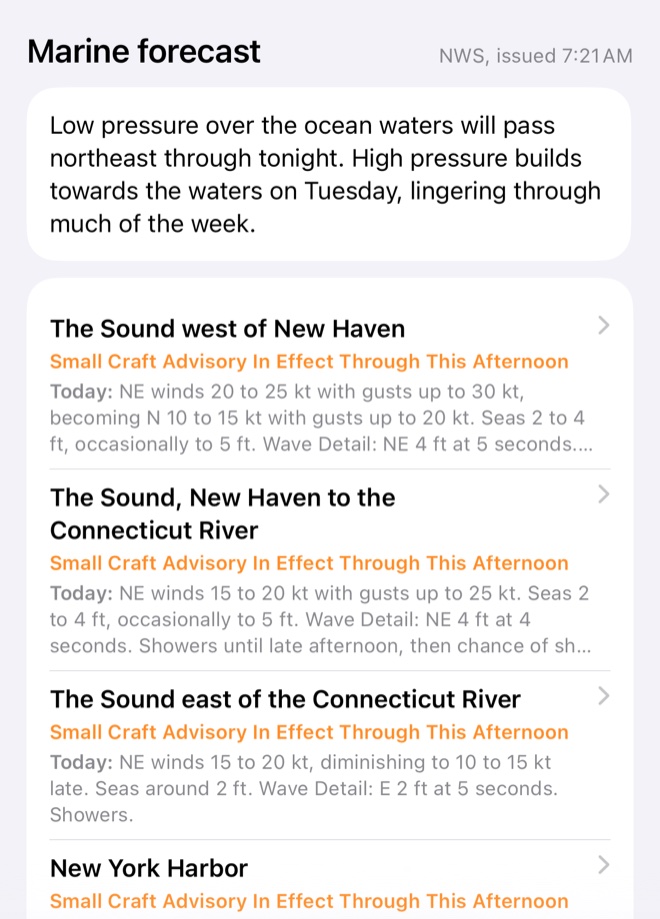
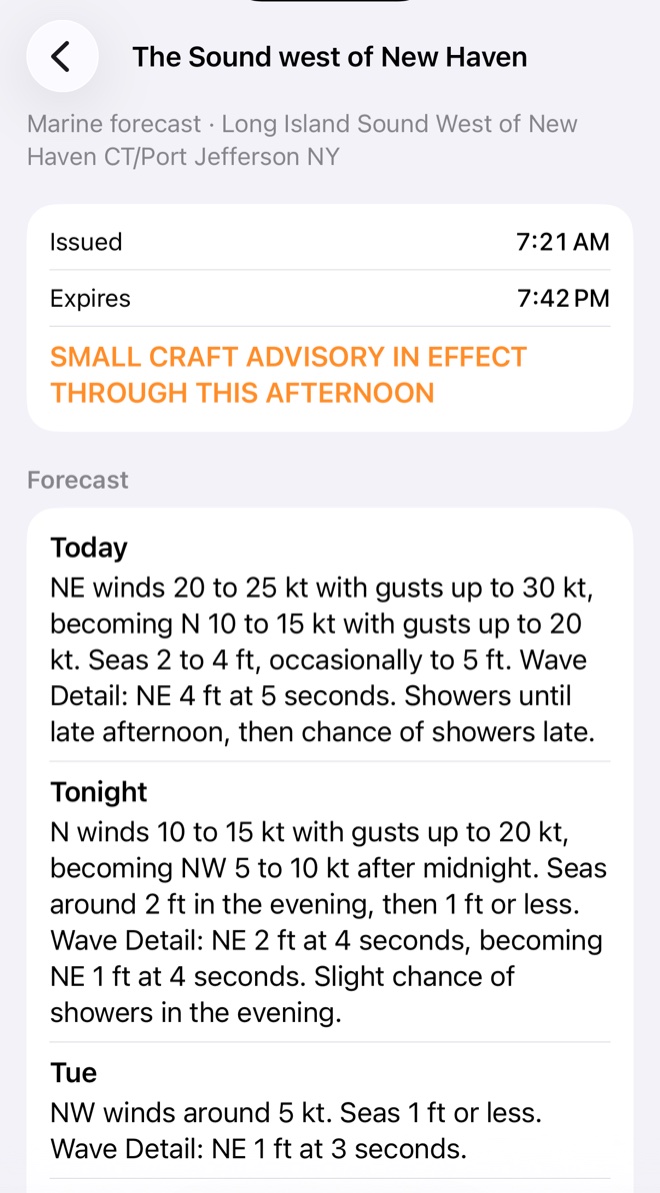
  • Every zone of the Sound, plus New York Harbor and Peconic and Gardiners Bays, under the day's synopsis.
  • Today, tonight and the days after for each zone: winds, seas, wave detail and weather, with when it was issued and when it expires.
  • Advisories and warnings appear at the top of the app within minutes of being issued, with the full text a tap away. Once you have read one it tucks into a small badge until it ends.
The marine forecast: the synopsis, then each zone of the Sound with its advisory and today's forecast.
One zone's forecast: issued and expiry times, a Small Craft Advisory, and the forecast for today, tonight and the days after.

The Sound, without opening the app.

The SailTools widget puts your home station's latest measured wind and waves, and its tide and current, where you already look. Change your home station in the app and the widget follows — or set it to show whichever place the app last showed.
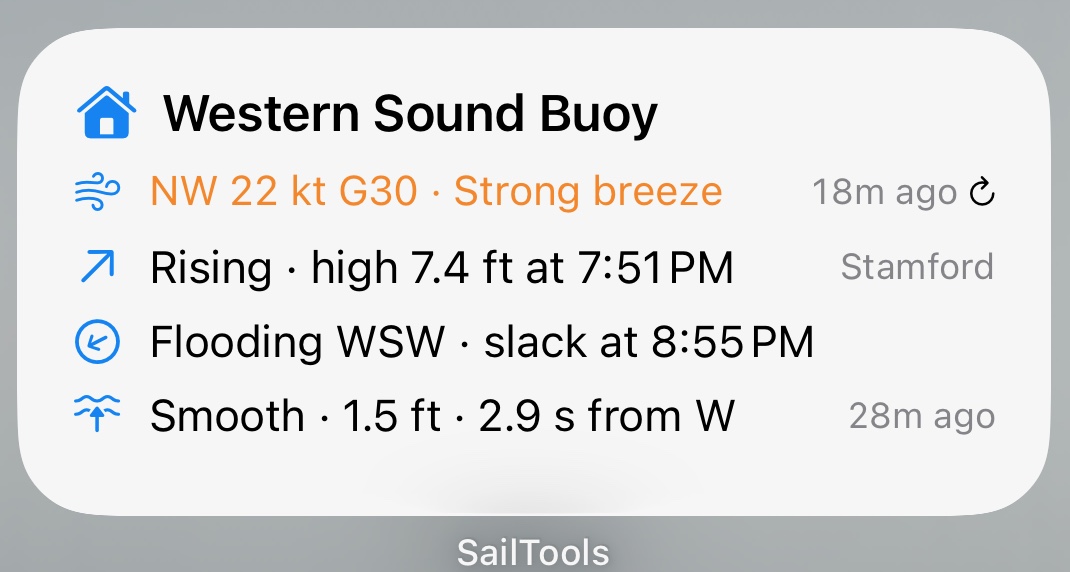
The SailTools widget on an iPhone home screen: wind, tide, current and waves at the home station.

Home screen

Wind with its Beaufort name, waves with their sea state, the tide and the current, on one card on your iPhone or iPad.
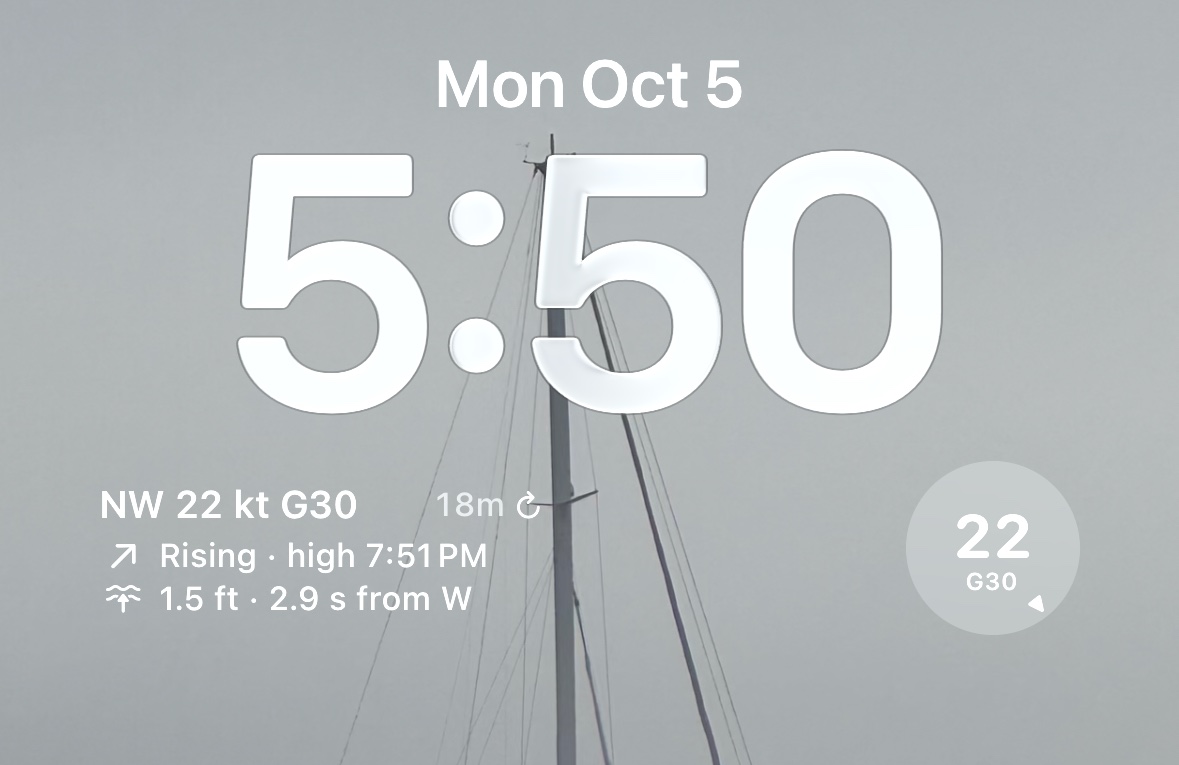
An iPhone lock screen with the SailTools rectangle widget under the clock and the wind dial beside it.

Lock screen

A rectangle with wind, waves and tide, or a small dial with the wind's speed, gust and direction. Readable at a glance without unlocking.
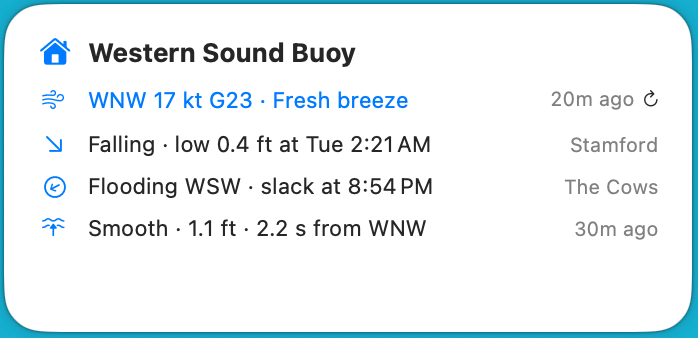
The SailTools widget on a Mac desktop.

Mac desktop

The same card on your desktop or in Notification Center, updated through the day.

Each reading shows its age, and a tap on ↻ fetches fresh numbers. Tap anywhere else to open SailTools.

Where the numbers come from.

SailTools measures nothing itself. It gathers what public and research sources publish, checks it, and credits it.

Not for navigation. SailTools is an aid to planning. Readings can be late or wrong and predictions are only predictions. Check official sources and use your own judgment before and while you are on the water.

The SailTools icon

Try SailTools.

SailTools is in testing through Apple's TestFlight, by invitation. It needs iOS or iPadOS 18, or macOS 15, or later.

Request an invitation

Already have one? The guide covers installing and signing in.